
How far can you run a PoE camera? It’s the right question to ask before you run the wire, because PoE has a real distance limit, and pushing past it causes exactly the kind of intermittent, hard-to-diagnose problems that drive people crazy later.
You’ve found the perfect spot for a camera – the far corner of the property, the end of the driveway, the back of the barn – and now you’re wondering whether your cable can actually reach that far. Here’s how far you can actually go, and how to reach farther when you need to.
How Far Can You Run a PoE Camera? The Short Answer: 100 Meters (328 Feet)
The standard maximum distance for a PoE camera over a single Ethernet cable is 100 meters, or about 328 feet. That figure covers both the data and the power traveling through the one cable, and it’s the limit the IEEE 802.3 Ethernet standard is built around. Inside that distance, a properly made cable will carry full power and a clean signal to the camera.
One important detail: that 100 meters is the total length of the cable run, not the straight-line distance from the recorder to the camera. Cable that goes up a wall, across an attic, around obstacles, and back down to the camera adds up fast. Always measure the actual path the wire will travel, not how far apart the two points look.

Why Going Past 328 Feet Causes Problems
It would be convenient if a too-long cable simply didn’t work, but that’s not how it fails. Instead, a run that’s near or just past the limit often works at first, then becomes unreliable. The camera might connect fine on a cool day and drop when the cable warms up, or work until you add another power-hungry camera to the system.
This happens because both the signal and the power weaken over distance. Past about 328 feet, the voltage reaching the camera can sag below what it needs to run steadily, and the data signal degrades enough to cause dropouts. That’s why an overly long run is one of the most common hidden causes of a camera that keeps going offline – it’s not broken, it’s just too far away.
The Real PoE Distance Limit: Power Draw and Voltage Drop
The 328-foot figure comes from the Ethernet standard, and it assumes the conditions the standard defines – not the particular camera you are hanging on the end of the wire. Power over Ethernet sends power down the same thin copper pairs that carry the data, and copper resists current. The longer the run, the more of the supply voltage is spent pushing power through the cable instead of arriving at the camera. That loss is called voltage drop, and it is why two cameras on identical 300-foot runs can behave completely differently.
How much it matters depends mostly on how much power the camera actually draws. A modest fixed camera pulling four to seven watts usually has plenty of headroom and will manage the full distance. A 4K camera, a PTZ that has to drive a motor, or anything with strong infrared illuminators typically draws eight to fifteen watts, and the more current a camera draws, the more voltage the cable eats. A standards-compliant PoE system is designed around the full Ethernet channel distance, and the cable loss is already accounted for in the published figures: 802.3af is specified to deliver 12.95 W at the camera after a full 100 meters of compliant channel, and 802.3at 25.5 W.
When a camera does turn unreliable well short of 328 feet, the cause is a marginal or out-of-spec installation rather than the length itself. The conditions that do it are specific and identifiable: how much power the camera draws and when it peaks, since nighttime infrared and motorized movement pull far more than the idle figure; the conductor itself, because solid-copper 23 AWG cable loses much less than thin 26 AWG patch cable or copper-clad aluminum; the PoE standard in use, since 802.3at and 802.3bt supply more headroom than the original 802.3af; the power source, since a switch without enough budget for the class the camera needs will starve it, and a passive injector brings its own risks: the wrong voltage, not enough wattage, no negotiation with the camera at all, and no guarantee the camera will accept what it sends; the terminations, because a poorly punched jack or a loose connector adds resistance at exactly the wrong point; and temperature, because warm cable in a hot attic, a sun-exposed conduit or a tightly bundled group has measurably higher resistance than the same cable in winter. That last one is why a marginal run so often fails for the first time on a hot day.
The practical takeaway is to treat 328 feet as the distance the standard is built to support, and then make sure the installation actually meets the standard. Solid-copper Cat5e or Cat6, terminations done to spec, and a switch or injector that supports your camera’s PoE class with budget to spare will carry a camera of any normal draw the full distance. A PoE extender or an active midpoint PoE switch answers a different problem: a run that genuinely has to go beyond 328 feet, where regenerating the link starts a fresh segment. Cabling you cannot vouch for is a cabling fix rather than an extender one: repair or replace the run. And a power source that cannot deliver what the camera needs is fixed at the source, with a compatible higher-class or higher-budget switch or injector, or with a midpoint switch on its own supply. An extender fed from the same starved port only adds another load. And if a camera already works all winter and drops out every July, look at the run length, the cable itself, and what is powering it together.
Use the Right Cable to Get the Full Distance
Reaching the full 328 feet depends on using solid, properly rated cable. Two things matter most. First, use solid-copper Ethernet cable, not the cheaper copper-clad aluminum (CCA) cable sold online – CCA has higher resistance, which means more voltage lost over distance and a shorter effective range. Second, for outdoor or in-wall runs, use cable rated for that environment so it holds up to weather and meets code.
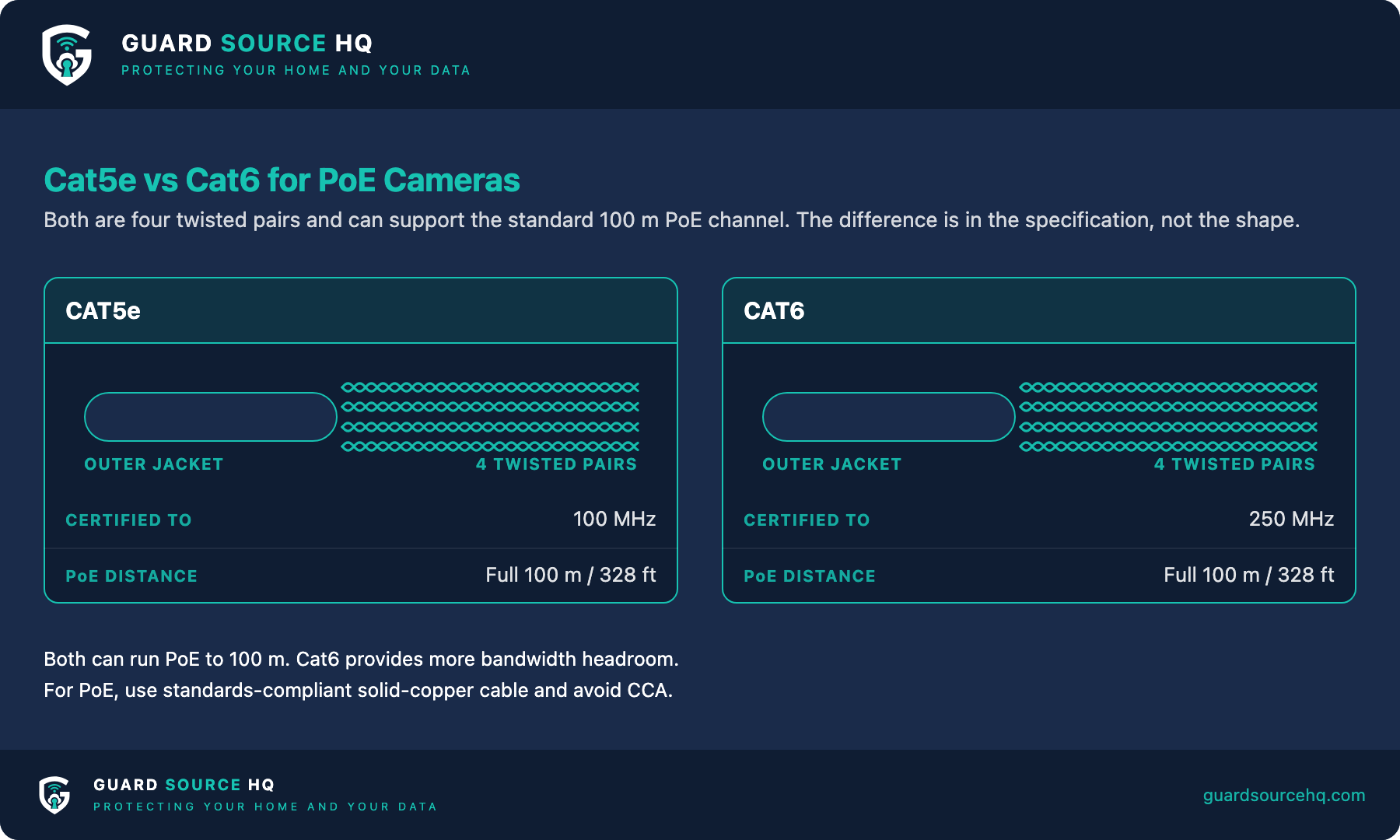
Both Cat5e and Cat6 will carry PoE the full distance for a standard home camera. Cat6 has a small edge in handling power and interference over long runs, which makes it the safer choice when you’re pushing toward the limit or running near electrical lines. For a short run to a camera near the recorder, Cat5e is perfectly adequate.
How to Go Farther Than 328 Feet
If your camera needs to be more than 328 feet from the recorder, you have a few good options. The simplest is a PoE extender: a small device you splice into the run partway along that regenerates both the signal and the power, effectively resetting the distance clock and letting you add roughly another 100 meters. You can chain a couple of these for very long runs.
A second option is to place a powered PoE switch partway along the route – for example, in an outbuilding that already has power. The camera plugs into that switch with a fresh short run, and the switch links back to your main system.
A third option for very long distances is to convert the connection to fiber optic cable with media converters at each end, which can carry the link thousands of feet, though that’s usually overkill for a home.
What About Wireless for Far-Away Spots?
If running cable to a distant location isn’t practical, a wireless camera seems like the obvious answer – but distance brings its own catch. A wireless camera still needs reliable power at its location and a strong Wi-Fi signal back to your router, and Wi-Fi range drops off quickly through walls and over open distance. A camera at the end of a long driveway often sits well outside dependable Wi-Fi range.
For far spots, a battery or solar-powered camera paired with a dedicated Wi-Fi extender or a separate base station near the camera tends to work better than relying on your house Wi-Fi to stretch the whole way. For anything you want recording reliably around the clock, though, a wired PoE run within the distance limit is still the most dependable choice.
Planning Your Run: A Simple Checklist
Before you buy cable, walk the actual path the wire will take and measure it, including every vertical climb and detour. Add a little extra for slack at both ends – running out of cable ten feet short is a miserable way to end a project.
If your measured run is comfortably under 328 feet, a standards-compliant solid-copper Cat5e or Cat6 channel is designed to carry it, provided your camera’s PoE class is supported, the switch has budget for it, and the terminations are done to spec. If it’s close to or over the limit, plan for a PoE extender or a midpoint switch from the start rather than discovering the problem after everything’s mounted.
So how far can you run a PoE camera and still be safe? Getting the distance right up front saves you from the worst kind of camera problem: one that works just well enough to seem fine, then fails intermittently once everything’s installed and buried in a wall.
Building a System That Reaches Every Corner
Most distance headaches come down to two things: underestimating the true length of the run, and using cheap cable that can’t carry power the full distance. If you’re still planning your system, measuring honestly and choosing solid-copper, properly rated cable prevents nearly all of them.
Planning a long run? The two things that matter most are measuring the real cable path (not the straight-line distance) and using solid-copper cable – get those right, with a switch that supports your camera’s PoE class and has budget to spare, and the full 328 feet is what the standard is built to deliver.
The Trade-Offs of a PoE Camera (Before You Commit to a Long Run)
PoE is the most reliable way to power and connect a camera, but it isn’t free of downsides — and they matter most on long runs. Everything depends on a single cable carrying both power and data, so a cut, crushed, or water-damaged run takes the camera fully offline. You’re also locked to the 328-foot budget without extra hardware, and pulling cable to a far corner of a property is real labor. The payoff is a rock-solid, tamper-resistant connection with no batteries to swap, which is why most professionals still choose PoE over wireless wherever a cable can reasonably reach.
PoE vs. Wireless Range: Which Reaches Farther?
On paper PoE has a hard 328-foot limit per cable, while a wireless camera can sit anywhere it can hold a signal — but in practice that comparison is misleading. Consumer Wi-Fi cameras usually stay reliable only within about 150 to 300 feet of the router with a clear line of sight, and walls cut that fast. A point-to-point wireless bridge can beat PoE’s range dramatically, reaching hundreds of feet to over a mile, but it still needs power at the camera end. For most far-away spots the best setup is a hybrid: run PoE as far as it comfortably reaches, then bridge wirelessly or drop in a solar camera for the final stretch.
Frequently Asked Questions
How far can you run a PoE camera?
Up to 100 meters (328 feet) on a single Cat5e or Cat6 run — the Ethernet limit for data and power combined. Past that you need an extender, a switch, or fiber.
How do I extend a PoE camera beyond 328 feet?
Add a PoE extender or a powered switch midway to reset the 100m limit, or run fiber with a media converter for very long distances.
Does cable quality affect PoE distance?
Yes — solid pure-copper Cat5e/Cat6 reaches the full 100m, but cheap copper-clad-aluminum (CCA) cable has higher resistance and often drops power or data well short.
Can I run a PoE camera 500 feet?
Not on one cable. Use a PoE extender or powered switch about every 300 feet, or switch to fiber, to cover 500 feet reliably.
Does PoE have a maximum distance?
Yes. The nominal limit is 100 meters (328 feet) of total cable run between the power source and the camera, and that figure comes from the Ethernet and PoE cabling standard, not from the camera – a camera’s power draw does not change the specification. What power draw can do is expose problems in an installation that is already marginal, noncompliant, under-powered or lossy, where a high-draw camera turns unreliable before a low-draw one would. Beyond that length both the data signal and the delivered power drop off, so the camera either won’t power on or won’t connect reliably. To go farther you need something that regenerates the link and starts a fresh 100-meter segment: an active midpoint PoE switch, or a PoE extender that repeats both the data and the power. A plain PoE injector or midspan only adds power to an existing run. It does not regenerate Ethernet and does not extend the 100-meter limit.
What is the disadvantage of a PoE camera?
The main disadvantage is the cable. A PoE camera has to be wired back to a switch or NVR within 328 feet, which means more planning and labor than a wireless camera for hard-to-reach spots. You’re also dependent on that single cable for both power and data, so a damaged run takes the camera down completely. In exchange you get a far more stable, tamper-resistant connection and no batteries to recharge — which is why PoE is still the standard for serious installs.
What is the longest range for a wireless security camera?
Most consumer Wi-Fi cameras hold a solid connection up to roughly 150–300 feet from the router with a clear line of sight, though walls and interference cut that down quickly indoors. Point-to-point wireless bridges can push a camera’s signal much farther — several hundred feet to over a mile with the right gear — but for most far-corner spots a battery or solar camera on your home Wi-Fi, or a wireless bridge back to a PoE run, is the practical answer.
Who runs Guard Source HQ
Guard Source HQ grew out of problems I’ve spent years solving for myself, friends, and family. I’ve moved five times, set up all kinds of security camera systems, and helped friends and family install and troubleshoot theirs. I’ve had my own router compromised through a smart device, and people now come to me or get sent my way when something online doesn’t look right or after they’ve been scammed. I built Guard Source HQ to turn what I’ve learned from solving those problems into guides and tools regular people can use.
Need help with something I haven’t covered? Ask a question or suggest a topic.